

Introduction
Your React Native application works perfectly during testing, but after 20–30 minutes of continuous use, users begin reporting sluggish performance, delayed interactions, increased battery consumption, or even unexpected crashes.
In many cases, the culprit is a memory leak.
Memory leaks are among the most challenging performance issues in mobile development because they often go unnoticed until your application has been running for an extended period. As your app grows in complexity—with real-time APIs, sockets, animations, maps, background tasks, and native modules—the chances of introducing memory leaks increase significantly.
In this article, we’ll explore what memory leaks are, how to identify them, common causes, practical debugging techniques, and proven strategies to prevent them in production React Native applications.
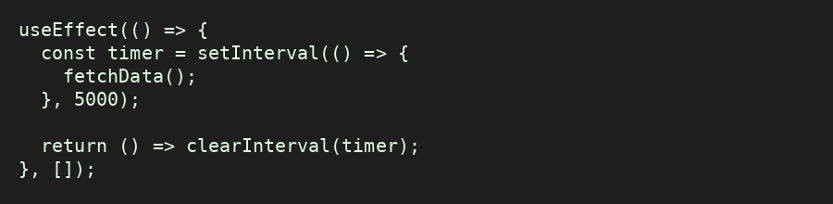
1. Uncleared Timers
One of the most common mistakes is forgetting to clear timers.
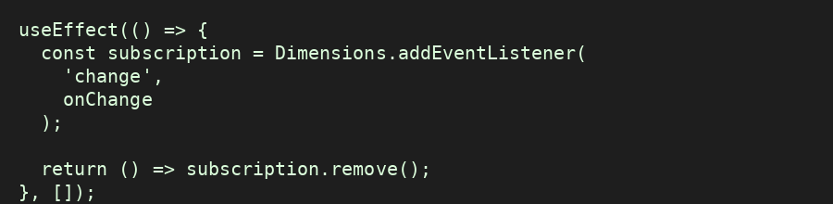
2. Event Listeners
Every event listener should have a matching cleanup.
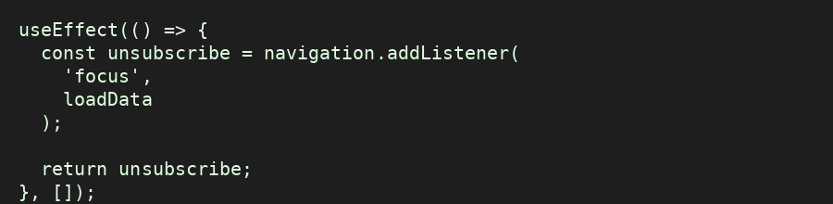
3. Navigation Listeners
Navigation events must also be removed.
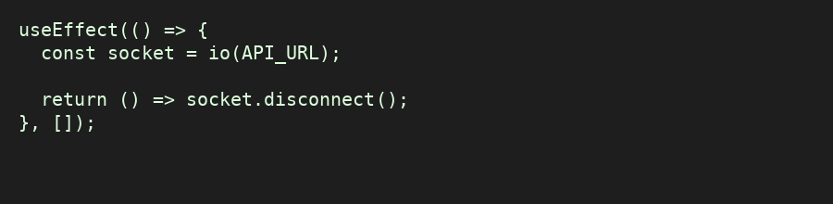
4. WebSockets
Leaving socket connections open is a major source of memory leaks.
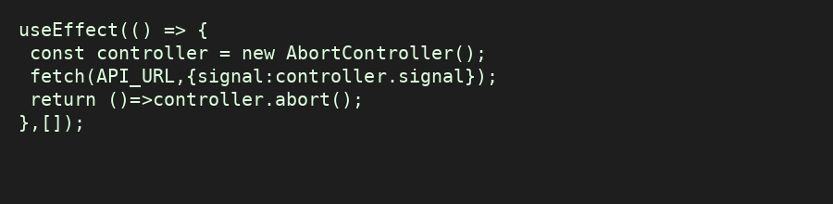
5. API Requests
Cancel requests when component unmounts.
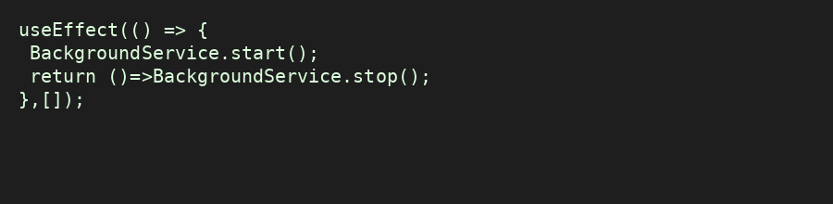
6. Background Tasks
Stop background services during cleanup.
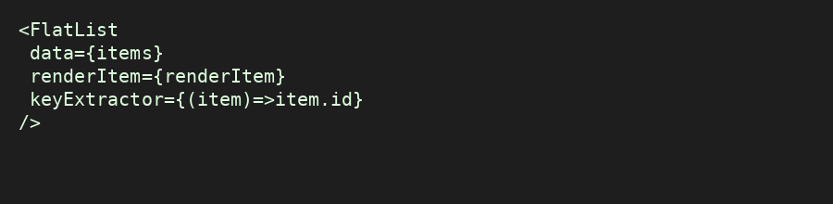
8. Large Lists
Use FlatList instead of mapping huge arrays.
What Is a Memory Leak?
A memory leak occurs when an application continues to hold references to objects that are no longer needed. Normally, JavaScript’s Garbage Collector removes unused objects. If objects remain referenced, they accumulate over time, causing increased RAM usage, poor performance, longer garbage collection cycles, UI lag, battery drain, and Out of Memory (OOM) crashes.
Symptoms
- Memory usage continuously increases
- App becomes slower over time
- Navigation gets slower
- Scroll performance deteriorates
- Random crashes
- Battery consumption increases
- Android OutOfMemoryError
- iOS terminates app due to memory usage
Detection
Use React Native DevTools, Android Studio Memory Profiler, Xcode Instruments, and test on real devices.
Best Practices
- Always clean up in useEffect
- Cancel timers, listeners, sockets and requests
- Optimize images
- Use FlatList/FlashList
- Profile regularly
Hermes Helps—but Isn’t a Complete Solution
Hermes improves startup time and memory efficiency but cannot automatically fix application-level memory leaks.
Memory Leak Checklist
- Timers cleared
- Listeners removed
- Sockets disconnected
- API requests cancelled
- Background services stopped
- Images optimized
- Lists virtualized
- Heap stable
Final Thoughts
Memory leaks rarely appear during quick functional testing, but they can significantly impact user experience in production. A small leak repeated across multiple screens or background processes can gradually consume memory until the operating system slows down or terminates your application.
The most effective strategy is to make memory profiling part of your regular development workflow. Combine React Native DevTools with platform-native profilers such as Android Studio Memory Profiler and Xcode Instruments, and review cleanup logic whenever you introduce timers, subscriptions, sockets, or long-lived resources. Community experience also suggests using both JavaScript-level and native profiling tools, since leaks can originate on either side of the React Native bridge.
By adopting these practices early, you’ll build React Native applications that remain fast, stable, and reliable—even after hours of continuous use.pps fast and reliable.
Need Expert React Native Development?
Whether you’re building a startup MVP or scaling an enterprise mobile application, our React Native experts can help you deliver high-performance, production-ready apps with clean architecture, optimized performance, and maintainable code.
Contact us today to discuss your next mobile project.